TextPipe screen shots
Please also see the TextPipe FAQ, which includes several online demonstrations of key features.
Watch this Demo
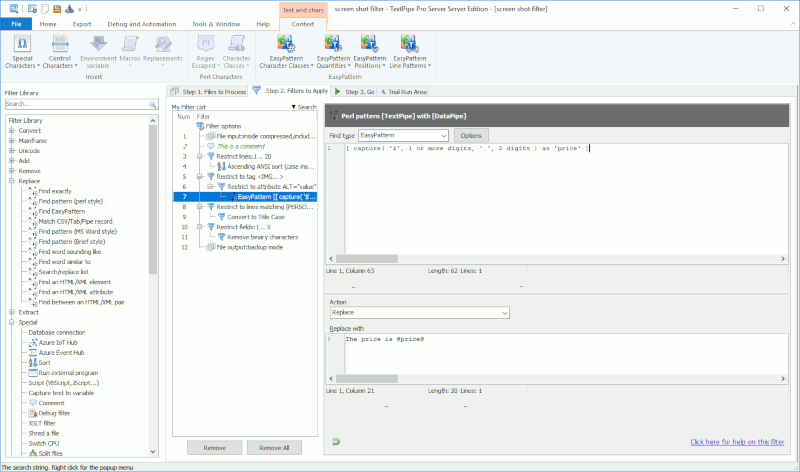
TextPipe's Main Screen
Note the unique hierarchical display of filters and the commenting.
Filter Wizard

Search and Replace filter

TextPipe includes more than 100 inbuilt filters and a library of more than 200 example filter files.
Convert End-of-line Characters filter

Unique VBScript/JScript filter - write your own custom filters
You can also download scripting languages for Perl, Rexx and Python.

Command line automation wizard (helps you automate TextPipe)
TextPipe can be run anywhere, any time by any scheduling package.

Windows Explorer customization dialog
Allows you to right-click on files and folders in Windows Explorer.

Preferences dialog

An example of how the Trial run area can be used
This result was produced using the unique Database filter with the XML output option and automatic DTD generation.

Sophisticated right-click menus are available everywhere
This is the Insert Columns filter.

Results window audit log
Detailed logs are kept of each transformation run - user name, start and end times, input and output file sizes, number and type of changes made etc.
